
Medical Marijuana Use Registry
The Medical Marijuana Use Registry is a secure, electronic and online database for the registration of qualified physicians and patients.
MMUR Identification Cards
Instructional Guides
Log into the Registry
Need technical assistance with the Registry? Contact us at 850-245-4657.
Have a suggestion to help improve the Registry? Submit a suggestion form.
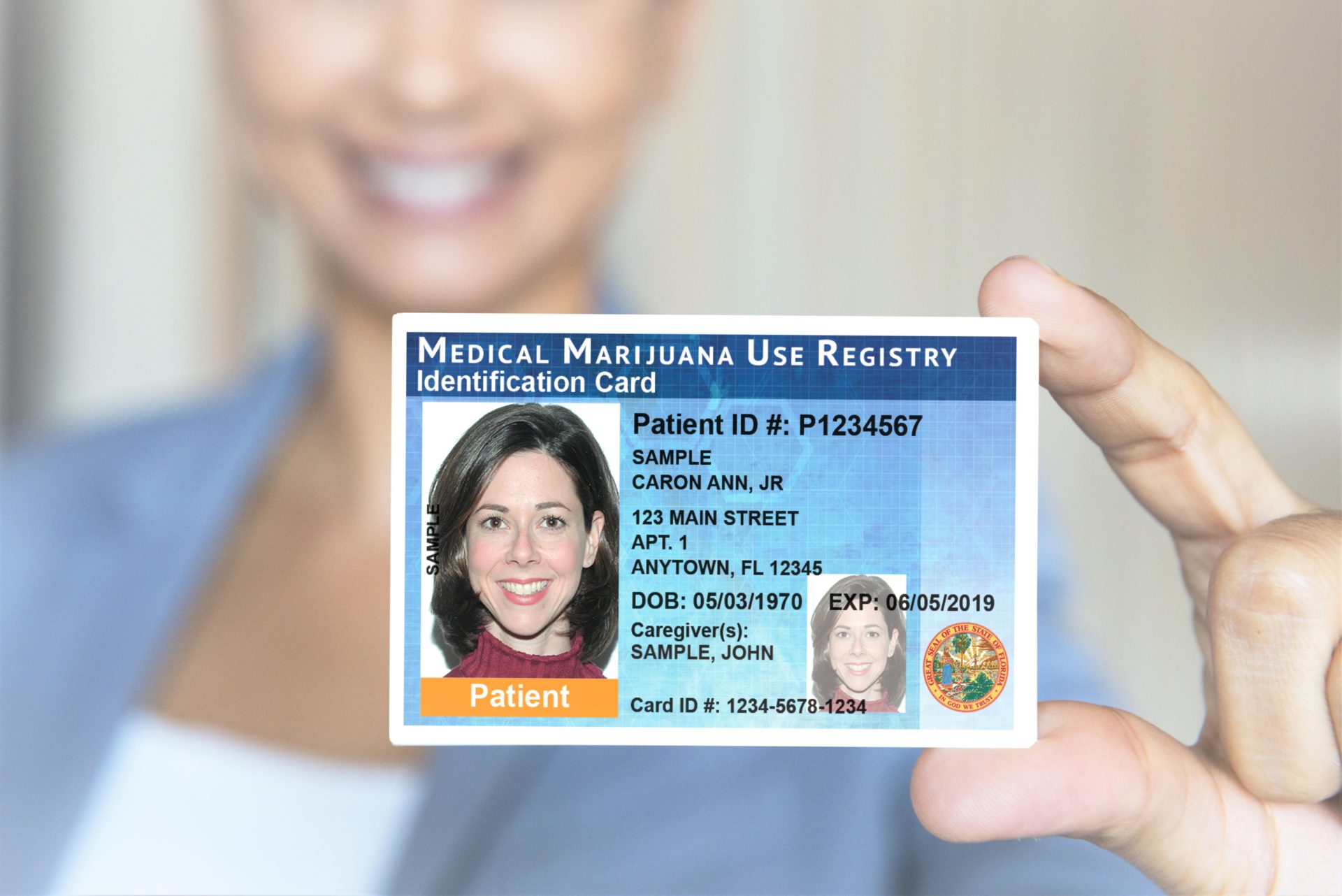
Medical Marijuana Use Registry Identification Cards
Once a qualified patient is added to the Medical Marijuana Use Registry by their qualified physician, the patient must apply for a Medical Marijuana Use Registry Identification Card. If the patient requires the medical assistance of a caregiver, the caregiver must also be added to the Registry by the patient’s qualified physician and obtain a Registry Identification Card.
Learn more about ID Cards by visiting our Registry Identification Cards page.
Having Trouble Logging In?
- Patients and Caregivers: Your username is the email address that you supplied your qualified physician. Please note, if you do not provide your qualified physician with an email address, you will not have access to the Registry.
- Physicians: Your username is the one you created while self-registering in the Registry.
- Law Enforcement: Contact your agency’s Master User to obtain your username.
Forgot your password? Click here to request a new password.
Instructional Guides
Need help completing a specific task in the Registry? View our step-by-step instructional guides below to walk you through the tasks that the OMMU receives the most questions about.
-
Managing Your Registry Account
- Logging in for the First Time (opens in a new window)
- Resetting my Password (opens in a new window)
- Emails from the OMMU are not Coming to my Inbox (opens in a new window)
- Deactivating Myself from my Current Qualified Physician (opens in a new window)
-
ID Card Applications
- Patient Application Instructions (opens in a new window)
- Caregiver Application Instructions (opens in a new window)
- Understanding Your Application Status (opens in a new window)
-
Patient Certifications & Orders
- Viewing/Understanding Order(s) (opens in a new window)
- Understanding the New Amount Available Calculation Page (opens in a new window)
-
Caregiver Background Screening
- Submitting the Close Relative Acknowledgement Form (CRAF) (opens in a new window)
- Understanding the Qualifying Documentation Dashboard (opens in a new window)
-
Creating & Managing Your Physician Profile
- Creating my Account/Self-Registering in the Registry (opens in a new window)
- Logging in for the First Time (opens in a new window)
- Resetting my Password (opens in a new window)
- Changing my Email Address in the Registry (opens in a new window)
- Emails from the OMMU are Not Coming to my Inbox (opens in a new window)
-
Creating Patient & Caregiver Profiles
- Creating a New Patient (opens in a new window)
- Creating/Adding a Caregiver (opens in a new window)
- Activating/Deactivating a Patient from Under my Care (opens in a new window)
- Searching for a Patient or Caregiver (opens in a new window)
-
Creating & Maintaining Certifications and Orders
- Creating a Certification and Orders (opens in a new window)
- Editing/Canceling an Order (opens in a new window)
- Closing a Certification (opens in a new window)
- Logging an Adverse Event (opens in a new window)
- Reporting a Reduction in a Patient’s Controlled Substance Dependency (opens in a new window)
-
Submitting Documentation in the Registry
- Understanding the New Certification Documentation Dashboard (opens in a new window)
- Submitting the Request for Exception Form (opens in a new window)
- Submitting "Same Kind or Class" Documentation (opens in a new window)
- Submitting "Appropriate Route" Documentation (opens in a new window)
- Submitting the Consent for Minor Patient Form (opens in a new window)
- Submitting the Second Physician Concurrence Form (opens in a new window)
-
Understanding & Dispensing Patient Orders
- Viewing and Understanding a Patient's Orders (opens in a new window)
- Understanding the Patient's Amount Available Page (opens in a new window)
- Dispensing Product and Delivery Devices In-Person (opens in a new window)
- Dispensing Product and Delivery Devices via Delivery (opens in a new window)
- Correcting a Delivery Device Dispensation (opens in a new window)
-
Creating & Managing Employee Registry Profiles
- Create and Edit MMTC Users (for Executive and Manager Users) (opens in a new window)
- Create and Edit Transporters (for Executive and Manager Users) (opens in a new window)
- Run a Training Status Report (opens in a new window)
-
Understanding Patient Profiles
- Searching for Patients/Caregivers in the Registry (opens in a new window)
- Understanding Patient Profiles (opens in a new window)
- Understanding Patient Orders (opens in a new window)
- Reporting an 893 Violation in the Registry (opens in a new window)
-
Creating & Managing LEO Registry Profiles
- Logging in for the First Time (opens in a new window)
- Resetting my Password (opens in a new window)
- Emails from the OMMU are Not Coming to my Inbox (opens in a new window)
- Becoming an Executive User for my Agency (opens in a new window)
- Creating LEO Accounts (opens in a new window)
- Managing LEO Accounts (opens in a new window)
- Running a Training Status Report (opens in a new window)